

Leaving the Cave
by Sefaria Education

Rabbi Shimon bar Yochai lived during the 2nd century in Israel, under Roman rule.
The Talmud relates the following story:
Rabbi Shimon bar Yochai spoke critically of the Roman government, which was reported to the authorities. The Roman emperor sentenced Rabbi Shimon bar Yochai and his son, Rabbi Elazar, to death so they hid in a cave where they studied Torah day and night while being nourished by a carob tree and spring of water which had miraculously appeared in the cave.
After living twelve years alone in the cave, the emperor died and the death sentence was lifted. Elijah the prophet came to the cave and told Rabbi Shimon bar Yochai and Rabbi Elazar that it was safe to leave the cave.
Although the social distancing that the world is experiencing during the corona virus pandemic is very different from the experience of Rabbi Shimon bar Yochai and Rabbi Elazar, the story gives us insight into how it feels to move from an isolating experience back into regular life.
- Imagine you are Rabbi Shimon bar Yochai or Rabbi Elazar. What possible reactions could you have when you leave the solitude of the cave? Try to think of as many possibilities as you can.
- In the Talmuic story, the transition from being inside the cave to being outside took place in one step. We have experienced a more gradual re-entry. What do you imagine might be the difference to the individual in the two cases? What might be similar? Which do you think you would prefer?
The Talmud continues the story by relating the reactions of Rabbi Shimon bar Yochai and Rabbi Elazar to leaving the cave.
- What happened when Rabbi Shimon and Rabbi Elazar looked at the world around them?
- How did God react to Rabbi Shimon and Rabbi Elazar’s disapproval of the way other people were living their lives?
- For how long did the two men have to go back into the cave?
After leaving the cave for the second time, Rabbi Elazar continued to criticize those around him (burn down) while Rabbi Shimon treated others with respect (healed).
- What do you think Rabbi Shimon learned from his second trip to the cave that Rabbi Elazar did not?
Making the connection
- What has been the most difficult aspect of social distancing?
- For many people, school during the time of Covid has been inconsistent. Rules often changed or situations occurred which necessitated changes in procedure. How did the inconsistency affect your learning? What new skills did you develop?
- Imagine that it is fifty years in the future and you are telling your grandchildren about attending school during a global pandemic. What would you tell them about the experience?
- What have you learned about yourself from the experience of social distancing?
Imagining the future
An article in the Washington Post, “After the Pandemic” asks the question of whether there will be widespread societal change after Covid-19 is under control. What aspects of our lives will return to “normal” and what will change?
The article begins with a look back at the influenza outbreak in 1918 in the United States.
“If history is any guide, not much will change in the wake of the covid-19 pandemic…When the pandemic subsided, people rushed to regain their sense of equilibrium and normalcy: While Americans had proved remarkably compliant with health officials’ initial demands, they were reluctant to keep those restrictions on their lives — even as many communities faced a subsequent wave of the illness.
Certain habits did change. Americans never returned to the common drinking cup, outlawed during the crisis and previously common in schools, offices and railway cars; they frowned on public spitting. Public health leaders celebrated their success in providing basic education on sanitation and personal hygiene. But the deaths of 675,000 Americans did not spur a remaking of the health-care system. Progressive era reformers had failed to create a national health insurance program, and despite the pandemic, their efforts withered in the 1920s.”
What do you think will change forever due to the pandemic? What do you think will stay the same?
The article continues with five reflections on what might change post Covid-19.
- Read their thoughts on the future of healthcare, mass transit, personal interaction, and politics.
- What do you agree with? What do you disagree with?
- The article did not speak to anyone about what education will look like in the future. As a student, you are an education expert. How do you think that education will change as a result of the pandemic? Write a paragraph describing your predictions.
 Giving thanks and eating pie!
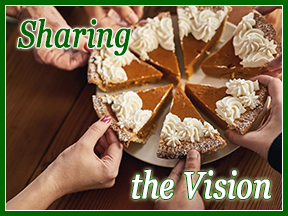 What has this got to do with education? And marketing?
 Change your lens, Change your story

 This Lag b’Omer,
  Rabban Yochanon ben Zakka instructed his students: Go see which is the good path to which a person should cleave. Rabbi Eliezer said: A good eye. Rabbi Yehoshua said: A good friend. Rabbi Yossi said: A good neighbor. Rabbi Shimon said: To foresee consequences. Rabbi Elazar said: A good heart. Rabban Yochanon replied: I prefer the words of Elazar ben Arach over your words, for included in his words are all of yours. {Ethics of the Fathers, 2:13}





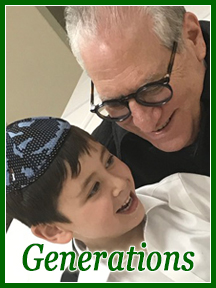 Intergenerational Marketing
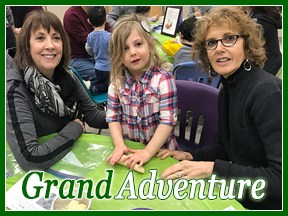 The Learning Experience
 It’s Graduation Time.
 Yet, too often when we talk to ourselves, we are less generous. Of course, when we reflect upon our performance, we need to assess realistically (and sometimes harshly) so that we can move forward successfully. We need to enhance, tweak, slash, discontinue, create, or maintain appropriately.
 Meanwhile, enjoy the coming weeks! Don’t forget your sunscreen.
 Capturing your Focus
 Discover Vinyasa Yoga
 Frame your Message
 Of the yoga images featured in this eZine, which do you think would motivate a woman who enjoys yoga to try out a new instructor?
 Summer Objective
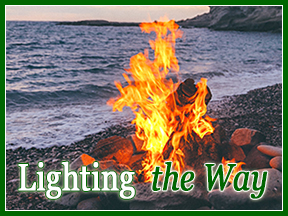
 I imagine you’ve been receiving some Lag b’Omer emails – featuring bonfires. I know that I have. Those burning images make me think of two things:
 T
T
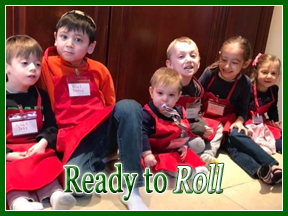 I doubt there was sushi in Shushan – but I can tell you with absolute certainty that sushi making in my kitchen was a fun-filled family President’s’ Day activity!
 Mrs. Weiss pointed out a clever marketing strategy used by King Achashverosh. As the monarch of over 127 lands, he sent letters to the leaders of these lands written in their own languages and/or dialects. He could have said, “I’m the new guy in town; let my subjects get translators.” But he didn’t. Instead, he sent his missive out in accessible, comfortable language.
 When you communicate clearly and effectively, in a way that makes the recipients of your messages feel comfortable, you